turn long video into short clips
Reuse one video without losing the story
Start with a supported video source, review the suggested moments, and make the final cut before it enters your calendar.
- Plan
- Create
- Review
- Move forward
Inside the app
See it in ClientWorkSystem.
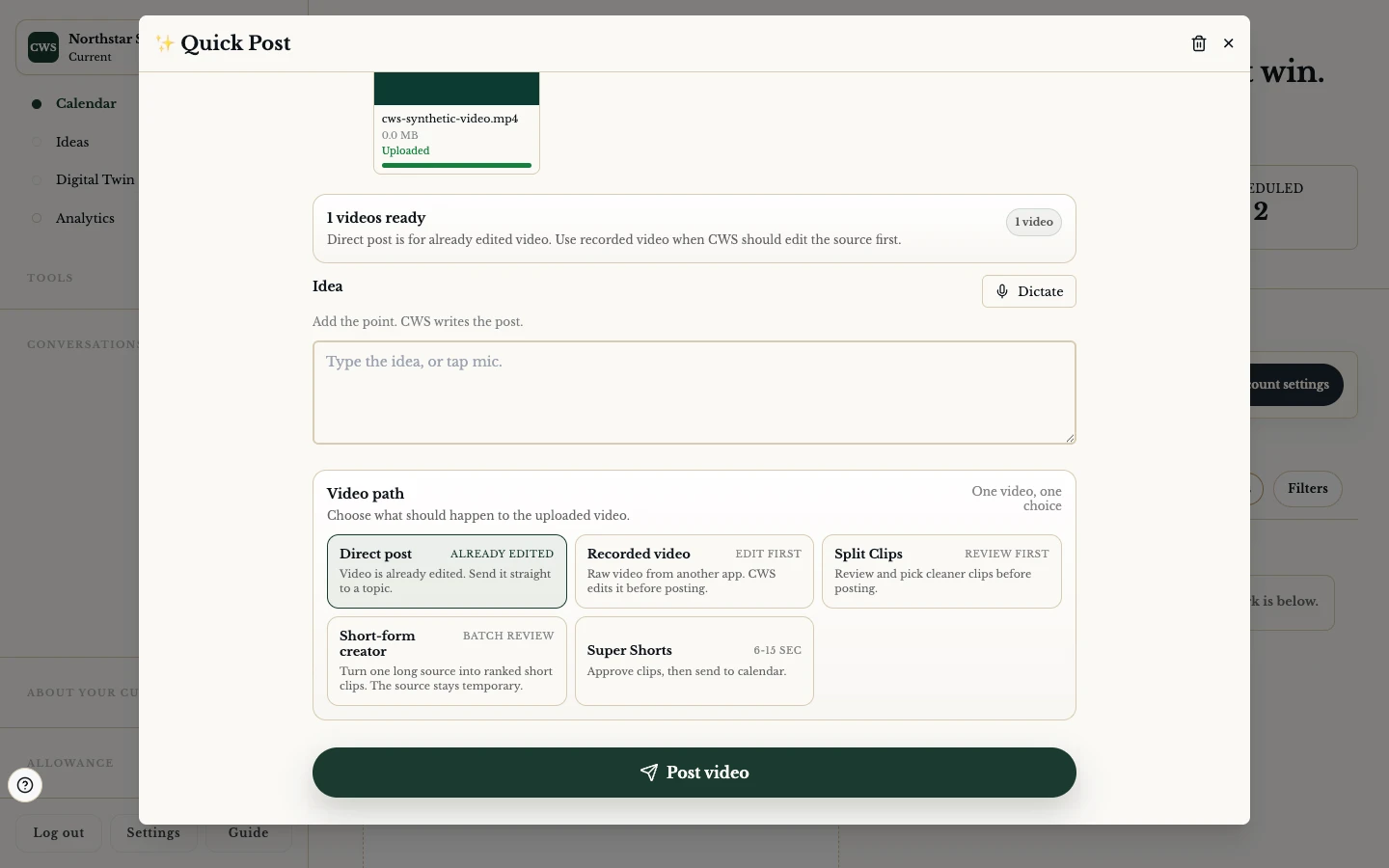
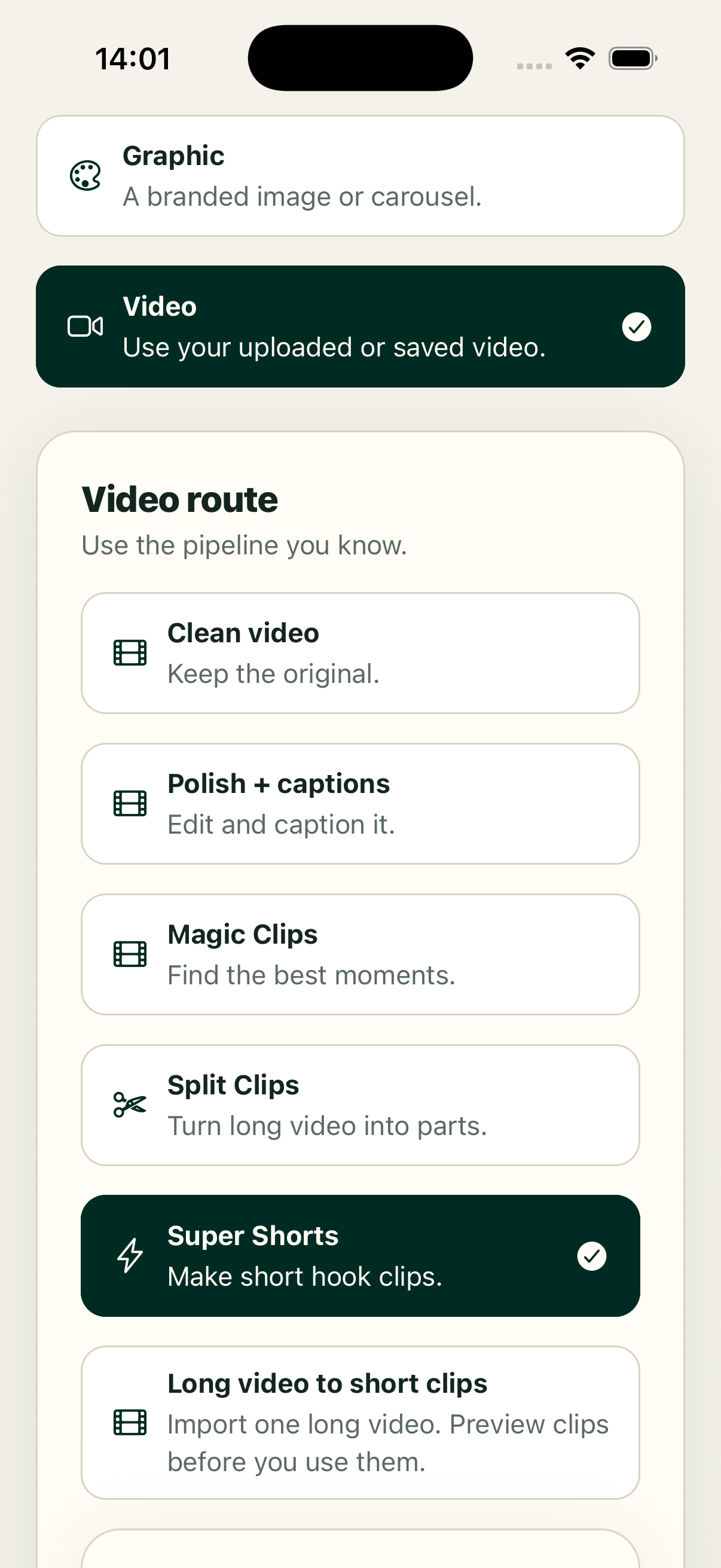
One recording can hold several useful moments. ClientWorkSystem gives you more than one route to reuse it: a direct clip workflow, an edit-first path, Split Clips for transcript-led trimming, and short-form or Super Shorts review where the account and source support it. Each route keeps approval in the loop. You choose what is worth sharing and what should stay out.
The system can ask a provider or processing job to find moments, but a suggested clip is not a finished edit. Audio, captions, framing, names, and context still need a human check. If a job is pending or rejected, the source remains the source; do not describe a pending item as completed.
How it works
- Open a topic, clip workspace, or supported media source and choose the repurposing route.
- Select Direct, Edit-first, Split Clips, Short-form, or Super Shorts when that option is available.
- Wait for the review result. A pending job can be reopened from its saved review state.
- Trim the start and end, adjust transcript-led sections, and check the visual crop, audio, and captions.
- Approve only the clips that represent the source honestly, then save them to the calendar or the next supported delivery step.
Pick a route
Direct. The fastest review surface when a ready source can go straight into a clip candidate. You still review before saving.
Edit-first. Useful when the source needs a deliberate cut or extra coverage before a short version is made.
Split Clips. Transcript-aware trimming helps you select sections. Read the text against the actual recording; punctuation is not a timing guarantee.
Short-form. A compact creator workflow for a supported video source. Confirm the format, duration, and destination shown in your build.
Super Shorts. Review a saved batch, preview each candidate, and approve before sending selected clips to the calendar. The action is hidden when no usable topic video source exists.
Supported workflow and limits
Clip review is available in the web calendar and related workspaces. Native apps may hand off to the web flow or show a smaller set of controls. Processing, captions, ranking, crop quality and turnaround depend on the source video and available editing service. There is no fixed number of clips, guaranteed result or automatic publication. A saved or queued calendar item is not yet confirmation from a social network.
FAQs
Does it cut every long video automatically?
No. It can offer supported review routes for a usable source. You choose and approve the final clips.
Can I edit a suggested clip?
Yes where the open review surface provides trim or transcript editing. Check the actual preview after each change.
What are Super Shorts?
They are a saved short-form review batch. Preview first, approve selected clips, then send them to the calendar.
Are captions guaranteed to be correct?
No. Read captions against the recording and correct them where the editor allows.
Is Windows support included?
Windows is coming soon. Use the web, Mac, iPhone, iPad or Android version currently available to you.